Presentation Solutions · Asset Manager

A template change shouldn’t need a full software release.

An internal tool that lets teams upload, version and distribute the templates, slides and files used across PSL’s software products. Before it, the people who owned those files couldn’t touch them without a developer.

Asset ManagerEnterprise UX · Research · Systems thinking
Overview

A long-standing operational problem inside the PSL ecosystem: teams had no efficient way to update, version or distribute the shared assets used across several software products.

PowerPoint templates, XML files, branded components. All of it required a full software release to change, even for something minor. That meant slow turnaround, developers pulled in for work that wasn’t development, and customer support carrying the weight of the simplest updates.

The brief was a multi-user, multi-location system supporting full and partial updates, role-based permissions, asset scheduling and version control. I led the product design end to end: shaping the vision, guiding discovery, defining what users actually needed, and designing something that could scale without outrunning what the team could realistically build.

My role
Senior Product Designer, embedded end to end
Team
Developers, authors and key stakeholders across PSL
Cadence
Daily stand-ups, weekly check-ins, continuous iteration
The problem
Even a minor template change meant a full software release.The thing everyone had stopped questioning

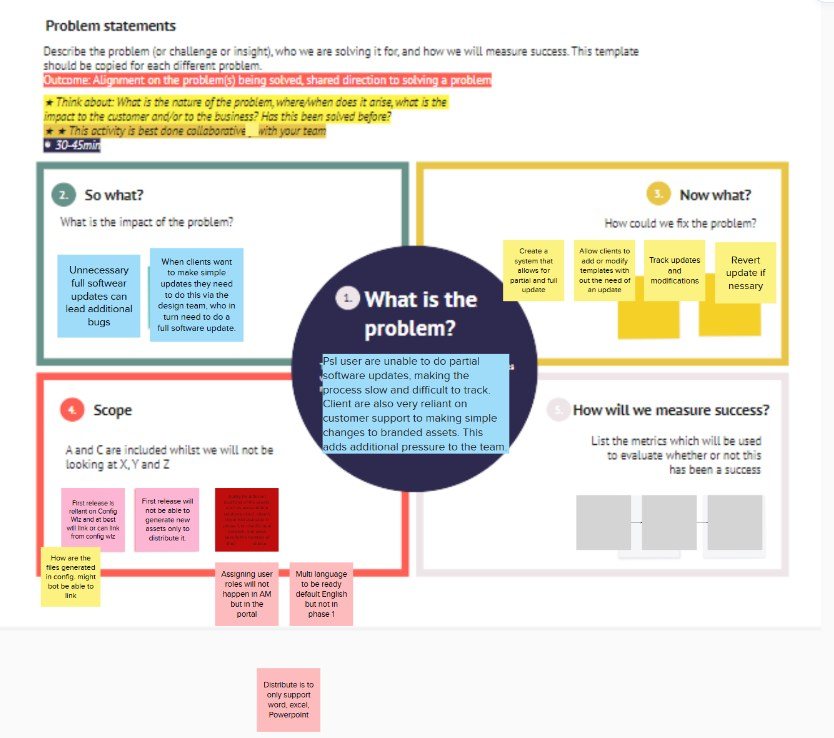
Discovery started by writing the problem down properly with the project owner and the head of development. What it was, what it cost, what was in scope, and how we would know if we had fixed it. Then I spoke to the internal teams living with the upload workflow, and ran a workshop to put everything we had learned in one place.

The problem canvas: what is the problem in the centre, with so what, now what, scope, and how will we measure success around it, filled with sticky notes
The problem canvas. What is the problem, so what, now what, what is in scope, and how will we measure success. Answering the last one first is what stopped this becoming a wish list.View full size
Scoping it

The system people described in workshops was several years of work. The system they needed on Monday was much smaller.

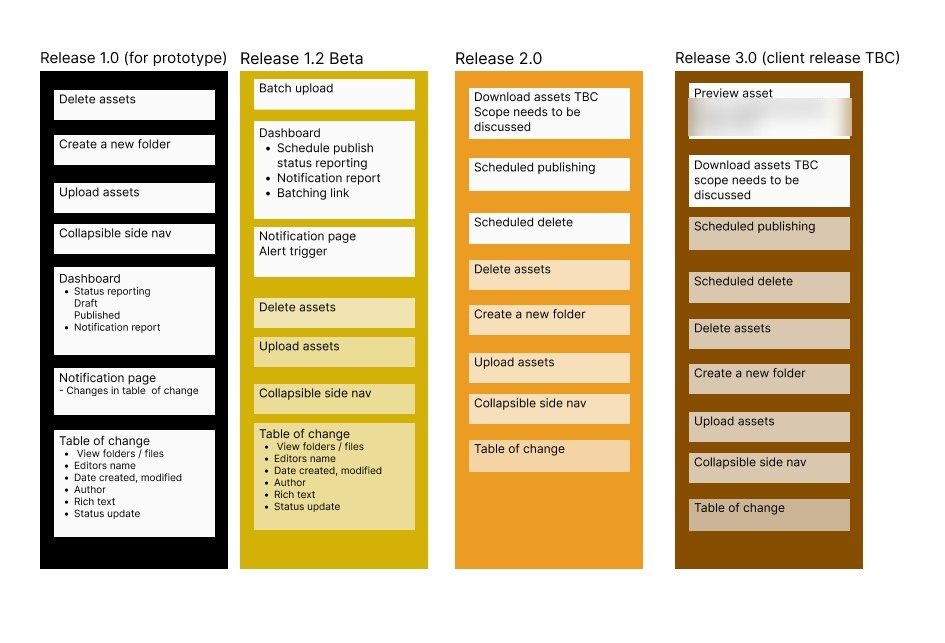
So the features got split across releases and agreed before any of it was designed. A prototype release to prove the idea, a beta, then two client-facing releases. Batch upload, scheduled publishing, notifications and the table of changes all sat further out, which meant nobody was waiting on them and nothing half-built went out early.

The agreed release plan in four columns: release 1.0 for prototype, 1.2 beta, 2.0 and 3.0 for client release, each listing the features it carries
The agreed plan. Four releases, each with its own list, signed off with the project owner and development before design started rather than after.View full size
Wireframes first

Every screen was drawn and walked through with development before anything was made to look like anything.

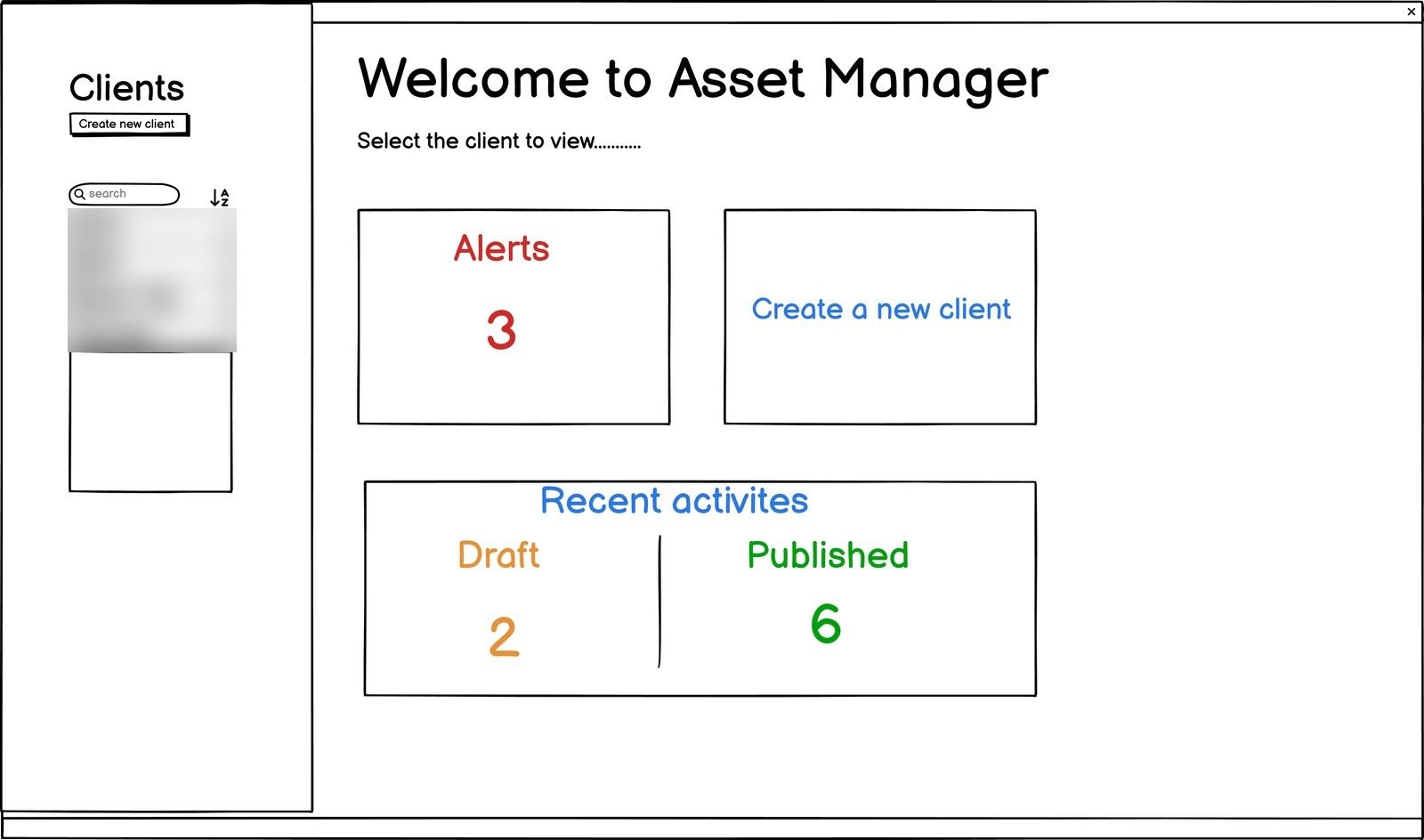
Wireframe of the welcome screen: pick a client to view, with alerts, create a new client, and recent activity split into draft and published
The way in. Pick a client, see what needs attention, see what is sitting in draft against what has gone out. The client list down the side is how the whole tool is organised.View full size
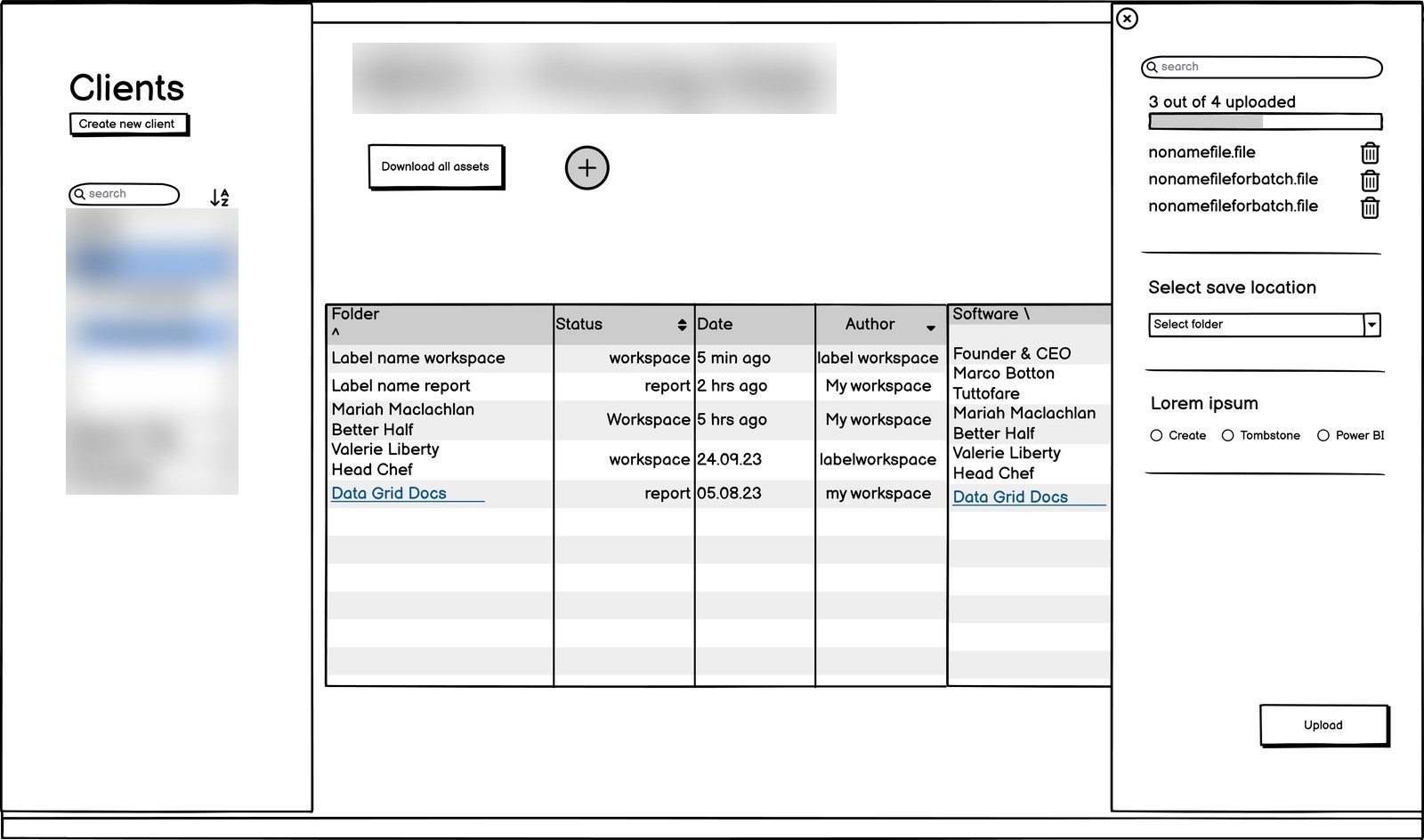
Wireframe of the upload panel sliding out over the asset table, listing the files uploaded and asking for a save location
Upload slides out over the table instead of taking you somewhere else, so you never lose your place in the list you were working from.View full size
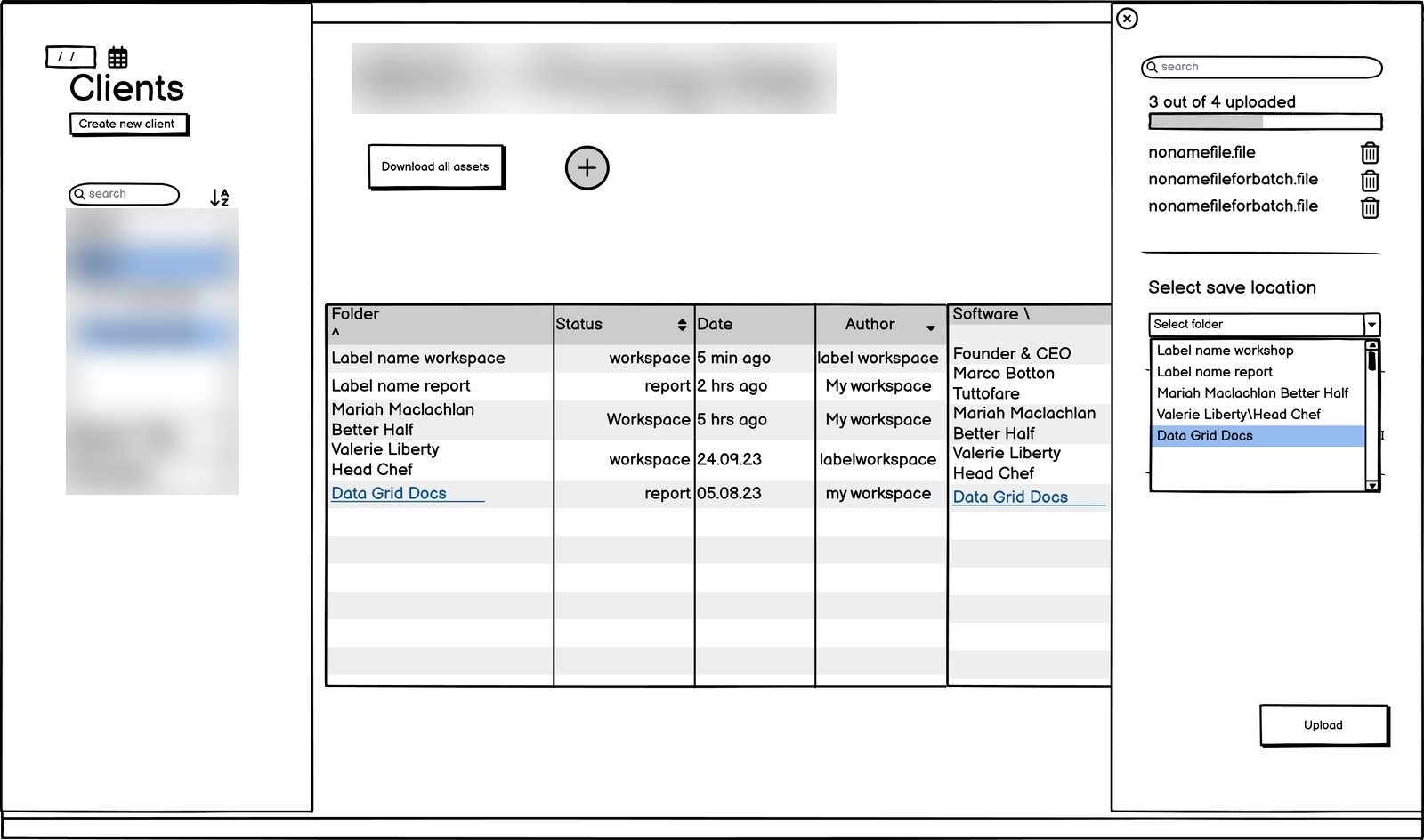
Wireframe showing the save location picker open, with a folder highlighted in the table behind it
Choosing where it lands. The destination highlights in the table behind the panel, so the choice is visible rather than a name in a dropdown.View full size
The upload flow, screen by screenDrag to explore →
The full upload flow laid out as a strip of consecutive screens, from an empty table through file selection, save location and confirmation
Every step of an upload laid end to end. Walking development through the strip caught more than walking them through one screen at a time ever did.View full size
And publishingDrag to explore →
The publish flow laid out as a strip of consecutive screens, ending in a confirmation that publishing is complete
The same treatment for publishing. Publishing is the moment a change reaches a client, so it needed a confirmation people could trust rather than a silent success.View full size
What got built

The wireframes, made real.

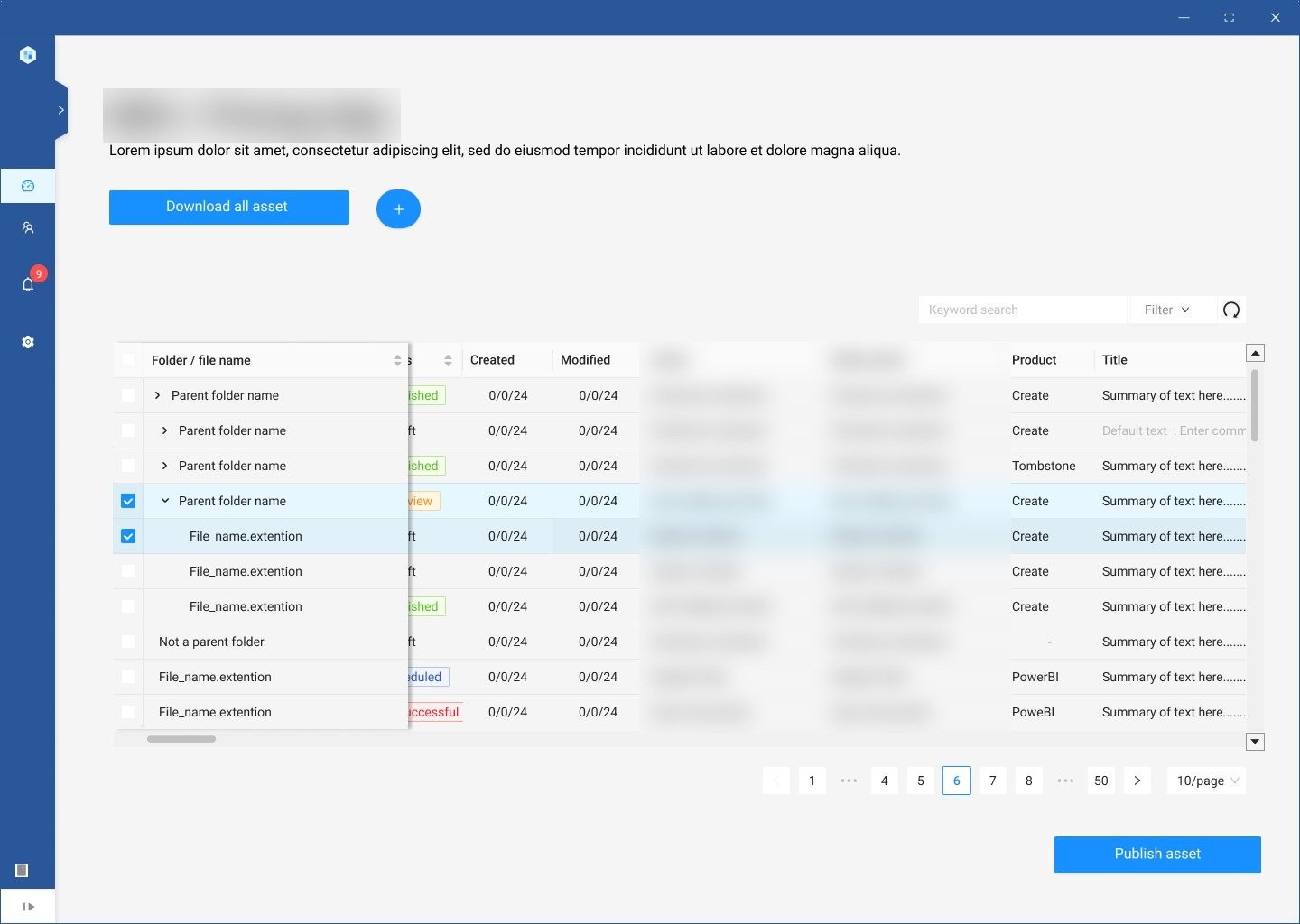
The built asset table for a client, showing folders and files with status, created and modified dates, author, editor, product and title
A client’s assets. Status, when it was created, when it last changed and who changed it, all on the row. That column set is the version control, and it is the part that meant nobody had to ask support.View full size
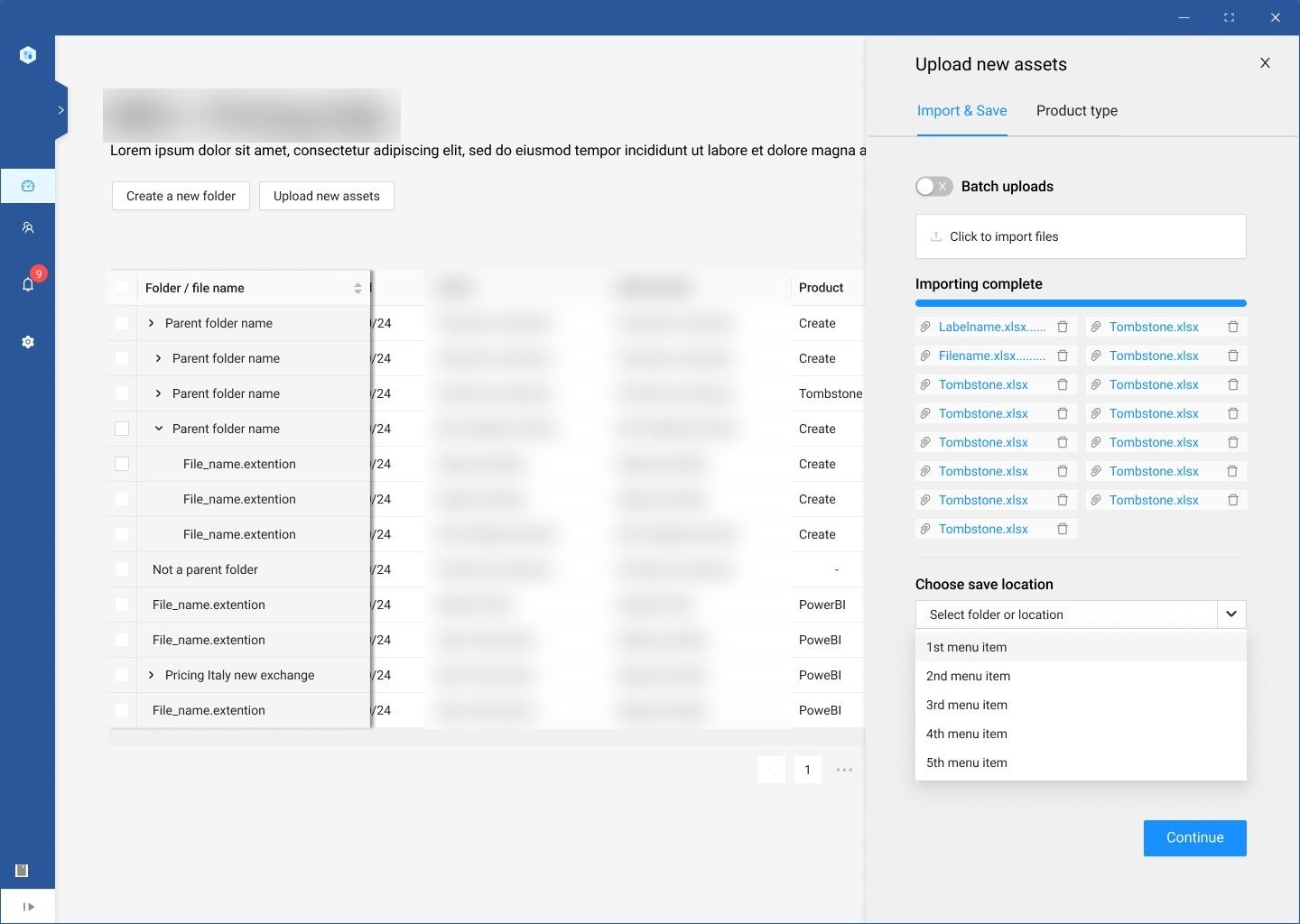
The built import drawer with batch uploads switched on, a list of files importing, and a save location picker
The import drawer with batch upload on. Fifteen files at once, each with its own state, and one save location for the lot.View full size
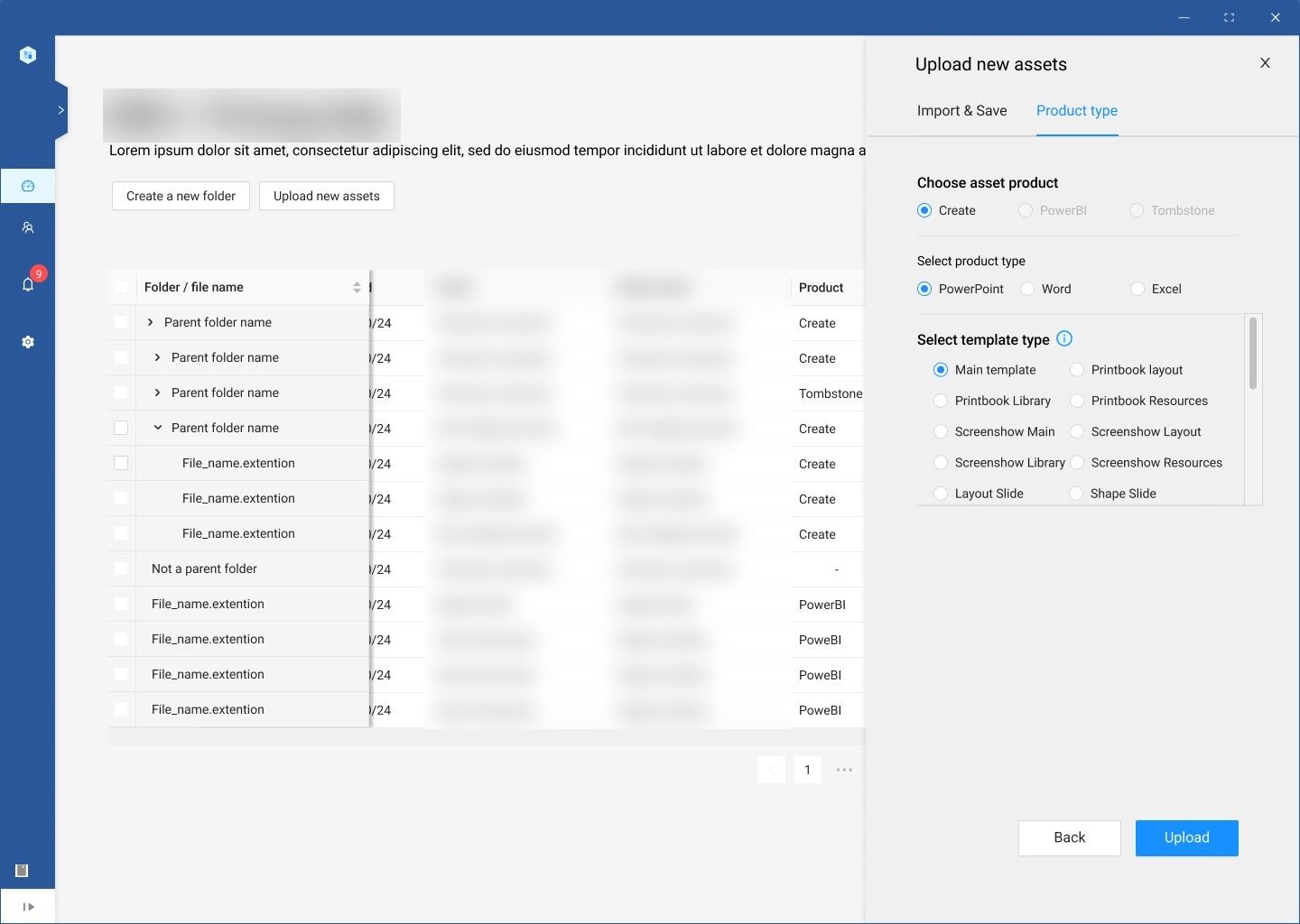
The product type step: choose PowerPoint, Word or Excel, then the template subtype such as report, pitchbook or layout
Then what the file actually is. PowerPoint, Word or Excel, then the kind of template within it. Asking here is what lets everything downstream stay sorted.View full size
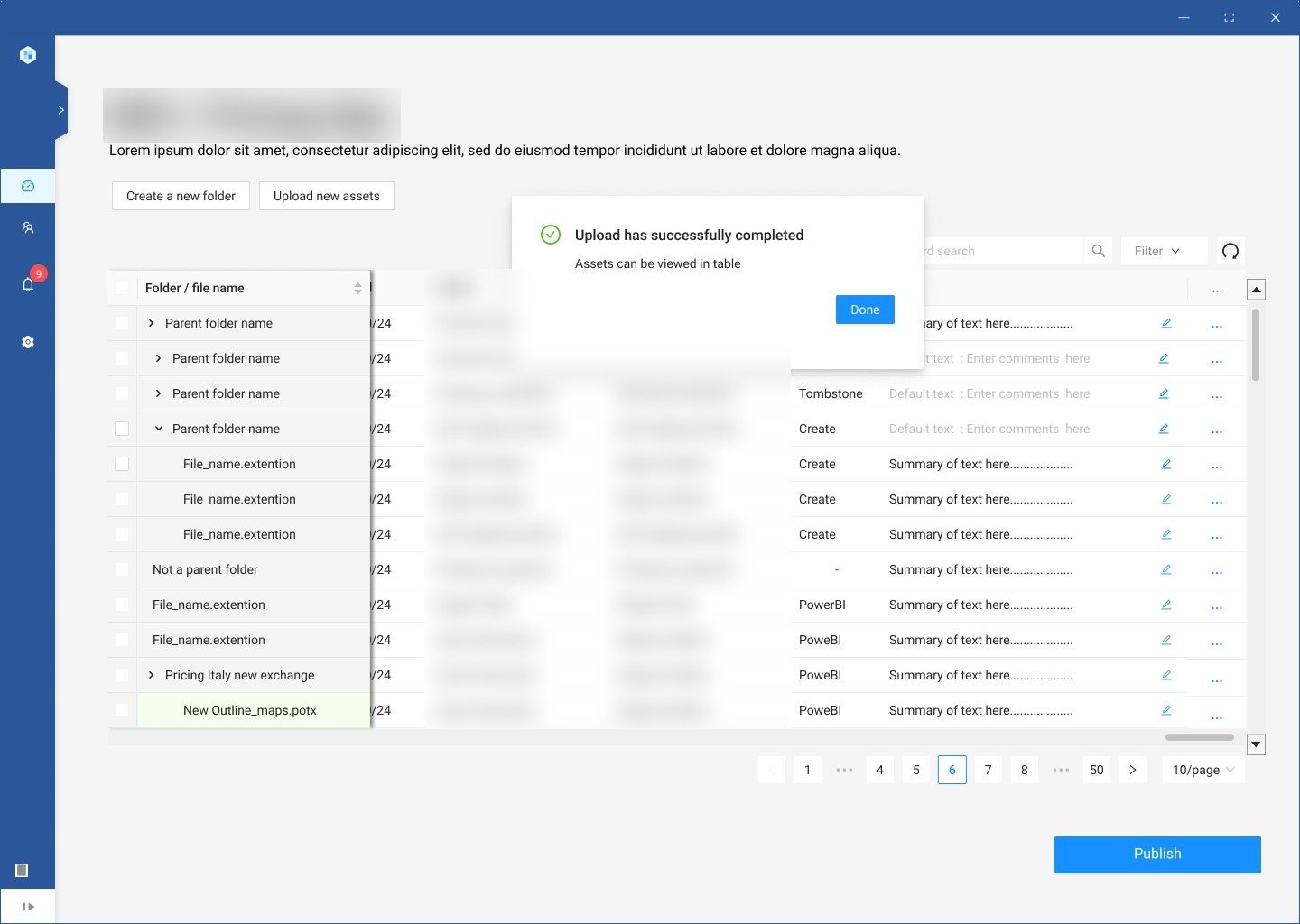
The built upload confirmation, telling the user the upload succeeded and the assets can be viewed or edited
And the end of it. A plain confirmation that says what happened and what you can do next, on a job people used to have to raise a ticket for.View full size
Going live

Live, and out of the release cycle.

The solution went live after close work with engineering, and we watched usage and feedback afterwards to make sure the rollout held and the thing actually did what users and the business needed it to.

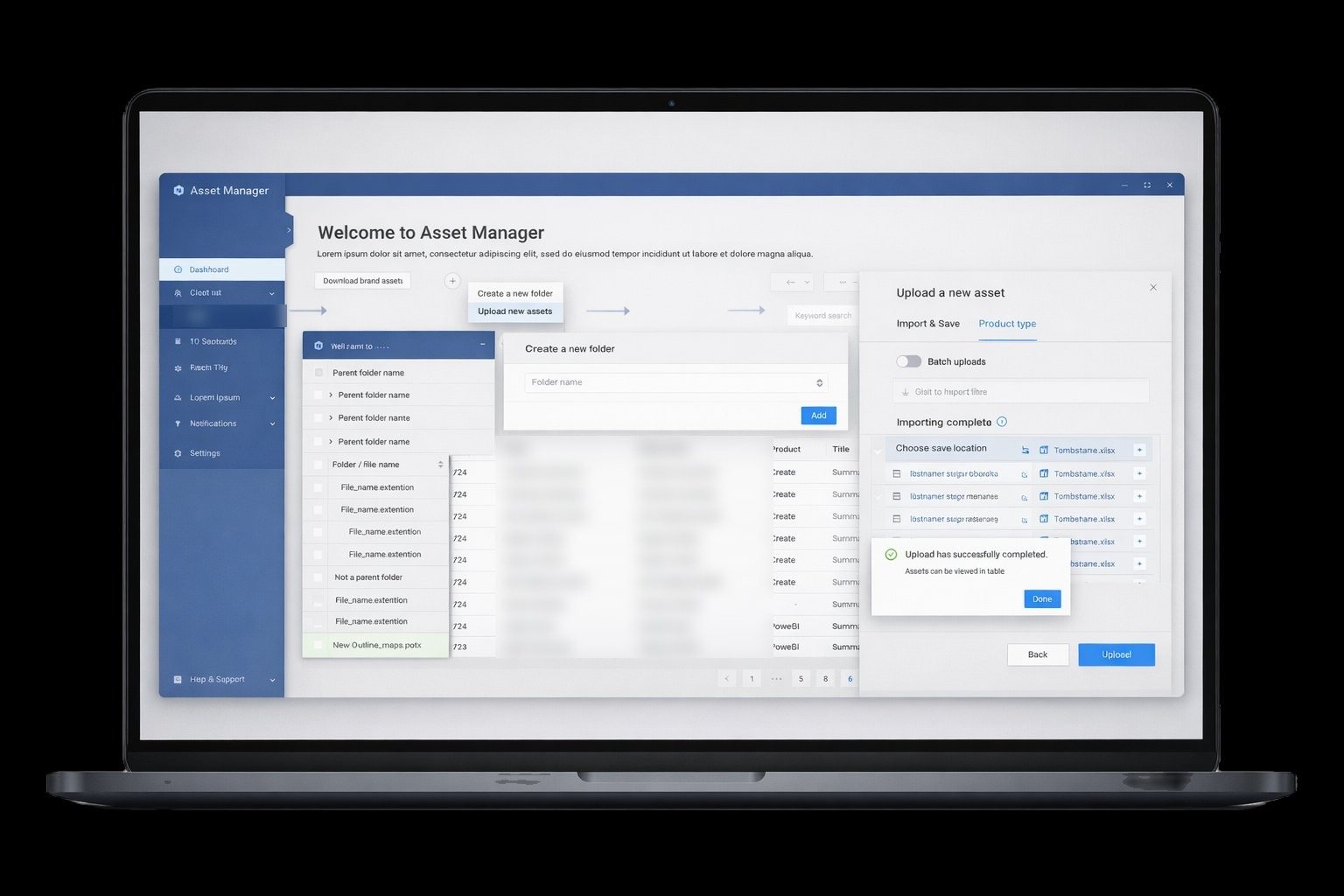
The finished Asset Manager on a laptop, with the welcome screen, create folder, upload and import-complete states layered over the asset table
The whole thing in one shot. Welcome, create a folder, upload, and the confirmation that it worked, on a job that used to need a software release.View full size
Outcome
Teams can update, version and distribute their own assets, at the point they need to, without a software release and without a developer.

Scoped across four agreed releases so the first one could prove the idea before the rest was committed to. The permissions, scheduling and version control the brief asked for are all in there, carried on the table row rather than buried in a settings screen.

This case study uses selected project artefacts from the design work. Client-identifiable and sensitive detail has been kept out of view.